Knowledge Base
User:
Password:
|
| Article ID | : |
KB91 |
| Keyword Name | : |
Conform, Managing, Cleaning, Multiple, Adding |
| Created | : |
February 15, 2017 |
| Viewed | : |
23729 |
Address Normalization (unlimited addresses per person) - Retired Article
1/5/17 - This KB is retired and no longer relevant.
Released spring of 2009.
| What does Address Normalization mean? We used to store Home, Mail, Work, and Previous address in a single table. This worked fine as long as you have only one of each of those. What about the folks who have more than one home address? More than one business address? |
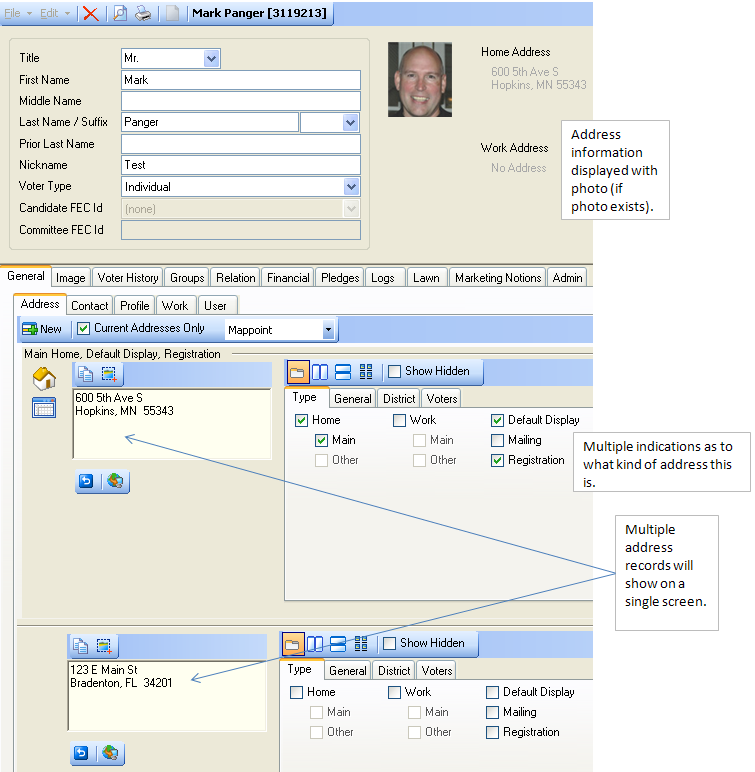
| Address nomalization takes the addresses from the voter/donor record and moves them to another table. This adds a few advantages. You can now store as many addresses as you like with each person. Each address can be identified as home, work, or mail or ANY combination of those items. You also identify WHICH address you want to have show up in the data grid when you are doing a search. |
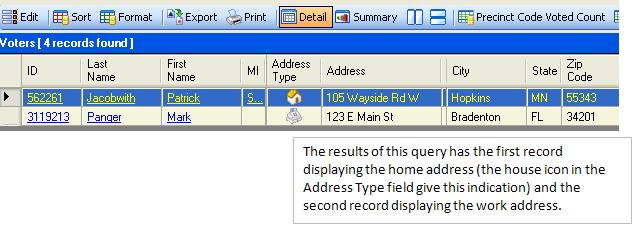
| That means you can have one record display a home address when queried and another record display the work address when queried: |
 |
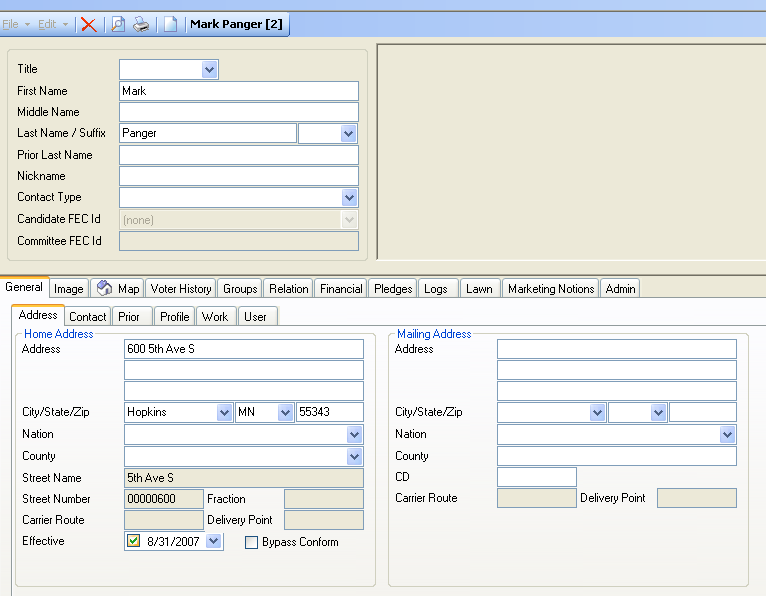
The pictures below show the differences between the legacy address system and the new normalized system. |
| Legacy Address Views |
Normalized Address Views |
| What the voter/donor card looks like. |
 |
 |
|
|
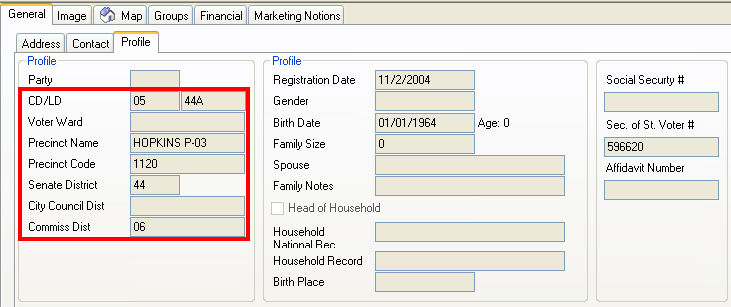
Profile information has been split between the address record and the old profile tab. Districting information is now attached to the address and not the person. |
 |
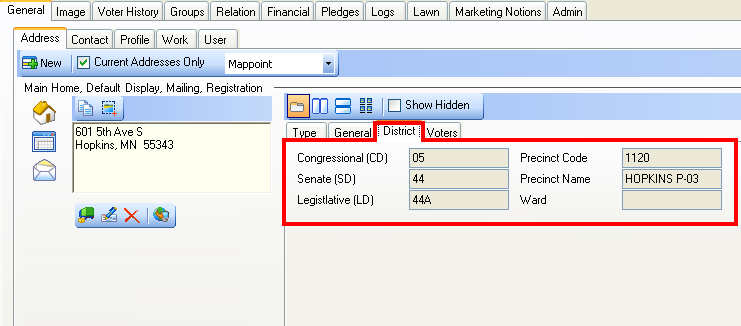 |
|
|
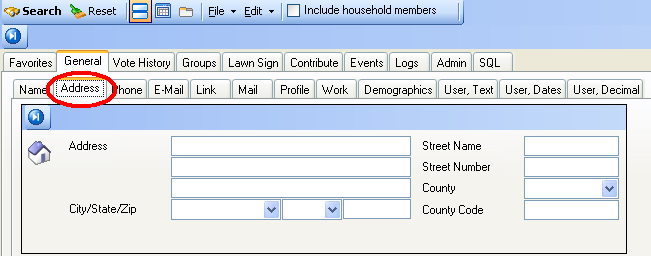
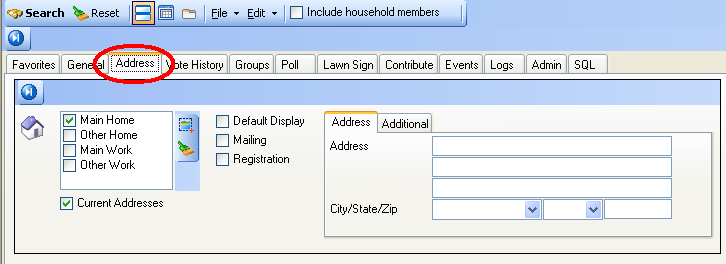
Searching for addresses is now done on the tab JUST to the right of the General tab. The old method had the Address tab as PART of the General tab. |
 |
 |
|
|
|